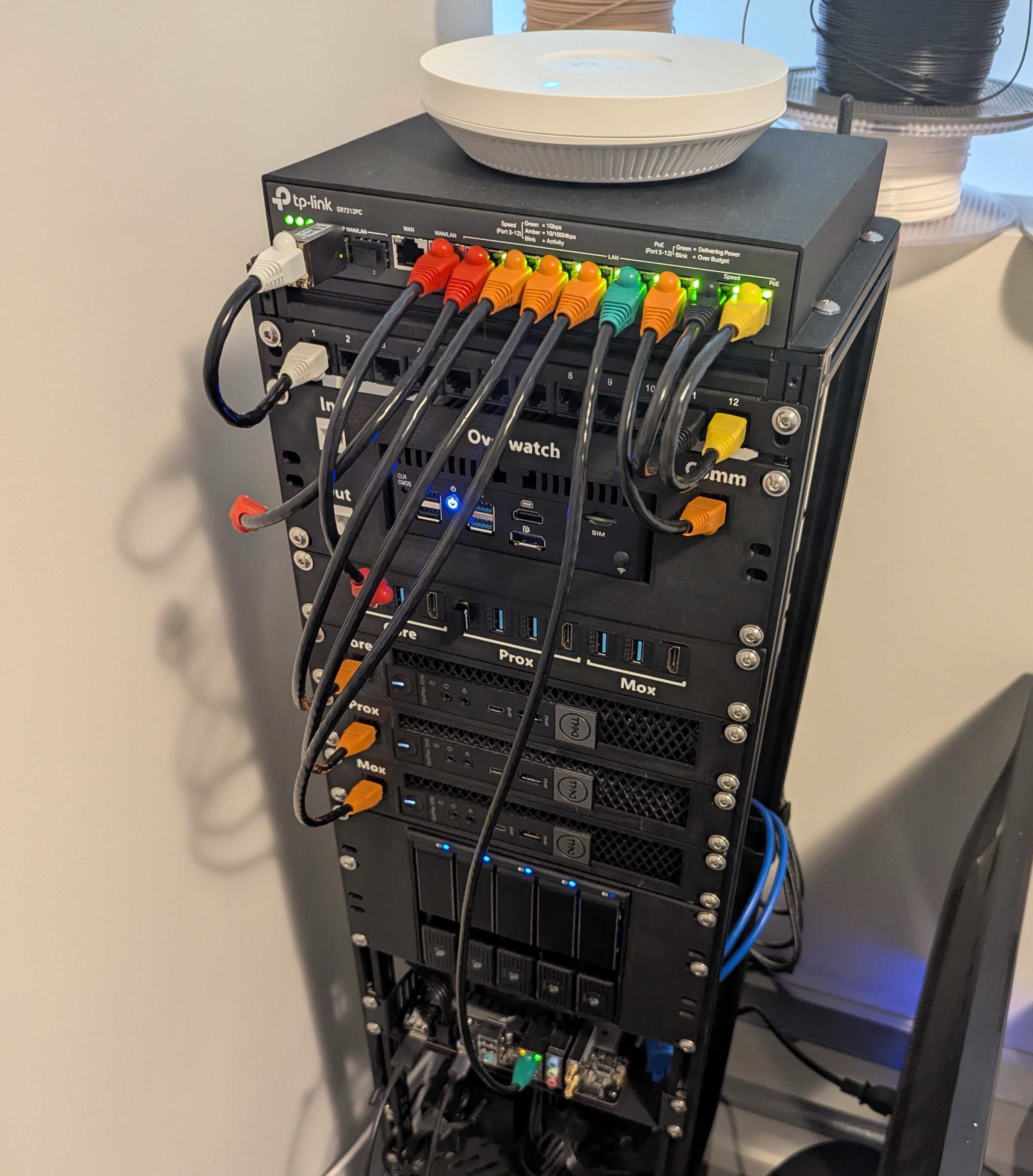
Build your own compact and modular mini server rack using 2020 aluminium extrusion. This guide will walk you through the parts, tools, and steps needed to assemble a rack suitable for home labs or networking gear.
Parts List #
| Quantity | Item | Link |
|---|---|---|
| 8x | 2020 Aluminium Extrusion – 800mm | uxcell – Amazon AU |
| 8x | 2020 Aluminium Extrusion Corner Brackets | Amazon AU |
| 50x | M5 Spring-Loaded T-Nuts | Amazon AU |
| 50x | M5 × 8mm Bolts | Amazon AU |
| 1x | Rack Shelf | GeeekPi Shelf – Amazon AU |
| 1x | Mini ITX Mount | GeeekPi Mount or Short Depth Rackmount |
| 1x | Patch Panel | GeeekPi Panel or Printable Patch Panel |
| 1x | Drive Bay Adapter | SilverStone 5.25" to 3.5" + Drive Bay Bracket - Thingiverse |
| 1x | Power Rail | Printable 7-Port C13 Rail |
| 3x | Dell OptiPlex 7070 | eBay AU + Mount – Printables |
| OR 3x | HP ProDesk | eBay AU |
| Optional | Remote Management | JetKVM |
Tools Required #
- Mitre saw (suitable for aluminium)
- Allen key set
- Measuring tape
- Marker or pencil
Aluminium Extrusion Cut List #
Measure and cut your 800mm 2020 extrusions down to:
- 4 × 160mm – Depth
- 4 × 218mm – Width
- 4 × Height, calculated as:
Height = (45mm × Desired Rack Units) + 40mm
e.g. for 6U: (45 × 6) + 40 = 310mm
Aluminium can be cut cleanly with a standard mitre saw.
Assembly Instructions #
1. Assemble Frame #
- Form top and bottom rectangles with 2× width (218mm) and 2× depth (160mm) extrusions.
- Use the corner brackets to secure each corner.
- Attach the vertical height extrusions to the four corners of one rectangle, then attach the other rectangle to complete the frame.
2. Insert Spring Nuts #
- Insert M5 spring-loaded nuts into the extrusion channels at an angle until they “click” into place.
- Slide them to the desired height to mount brackets, shelves, or other accessories.
3. Install Components #
Mount your accessories using M5 × 8mm bolts and T-nuts:
- Rack shelves
- Mini ITX mount
- Drive bay
- Patch panel
- Power rail
- Custom mounts (e.g. for Dell 7070 or HP ProDesk)
4. Optional Add-ons #
- Mount cooling fans or mesh panels to sides/back.
- Add rubber feet or small castors for mobility.
- Paint or vinyl-wrap the frame for aesthetics.
Tips & Notes #
- Standard rack width is 10" for this mini format.
- Keep at least 1U free for airflow and future additions.
- Preload extra spring nuts into the frame before full assembly to save time later.
- Cable management can be done using adhesive clips, zip ties, or printed brackets.
My Racks Layout (16U Rack) #
Front #
| Unit | Component |
|---|---|
| 1U | Patch Panel (Ethernet) |
| 2U | Firewall |
| 1U | Patch Panel (Rear IO) |
| 3U | Dell 7070 x3 |
| 3U | HDD Drive Bay |
| 3U | Mini ITX or ProDesk |
Rear #
| Unit | Component |
|---|---|
| 1U | Patch Panel |
| 2U | Shelf (Power Supplys) |
| 1U | Power Rail |